Compass
A landing page for your services, dashboards, and documents, discovered automatically from sources such as Docker, Kubernetes, and Tailscale.
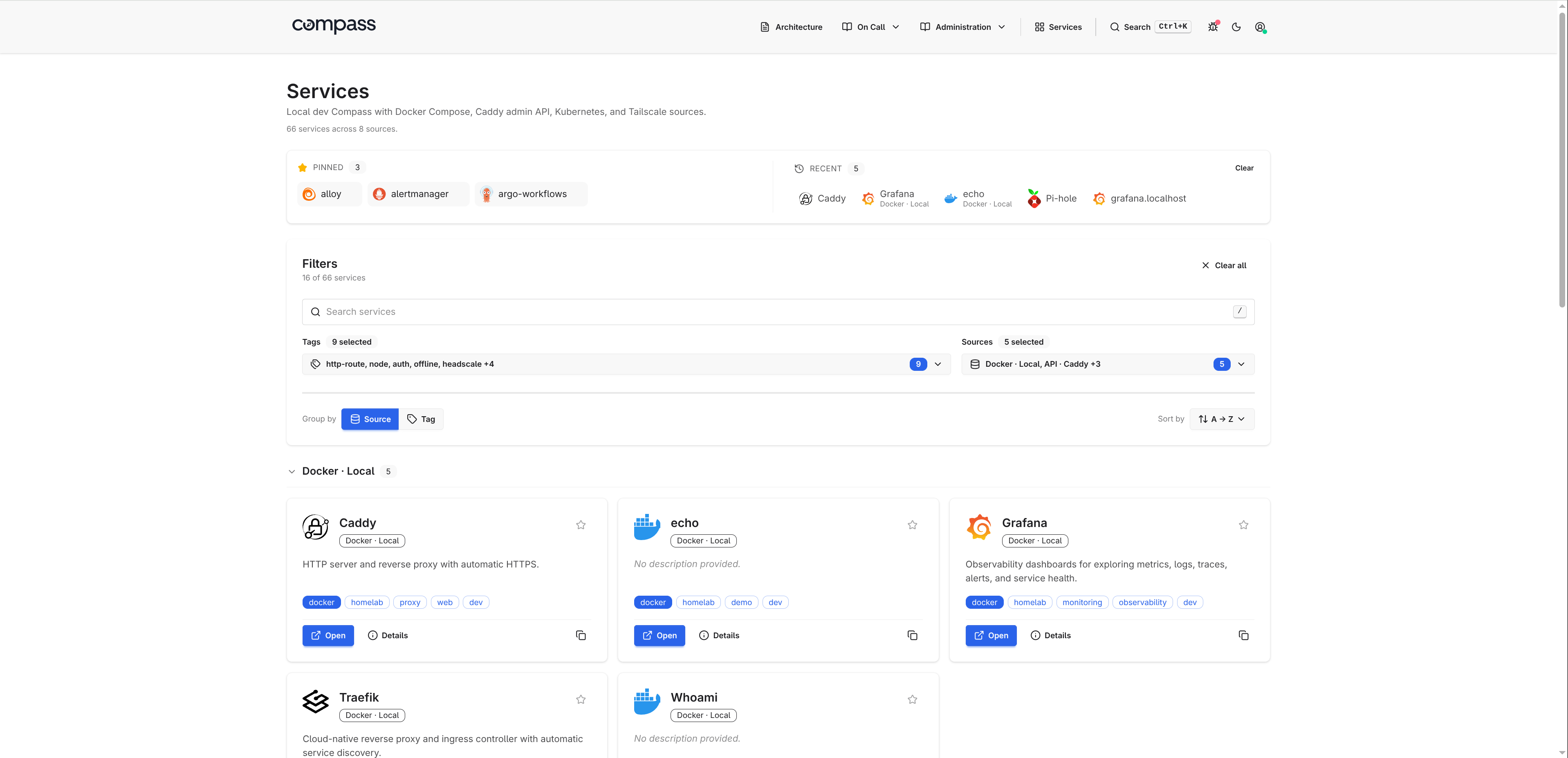
Why Compass
Add a source and Compass renders what is exposed in a server-driven UI with source status, tags, metadata, and operator context. Search, filter, debug, and jump into services without maintaining a pile of hand-written cards.
- Docker, Kubernetes, Tailscale, Headscale, static config, and JSON API sources.
- Source health, refresh status, service metadata, panels, tags, and debug views.
- Server-rendered HTML with HTMX, Alpine.js, Tailwind CSS, and daisyUI. No SPA runtime.
Quick start
compass.yaml:
# Add the host's docker GID so the non-root container user can read the socket. Alternatively use: tecnativa/docker-socket-proxy
docker run --rm -p 8080:8080 \
  --group-add $(getent group docker | cut -d: -f3) \
  -v /var/run/docker.sock:/var/run/docker.sock:ro \
  -v $PWD/compass.yaml:/etc/compass/compass.yaml:ro \
  adinhodovic/compass:latest \
  -c /etc/compass/compass.yaml
Open http://localhost:8080/. For Helm, other sources, and a config
walk-through, see Getting Started. The
Demo has more screenshots of pages, embedded panels, and the
debug view.
Where to go next
- Getting Started: install and run.
- Demo: screenshots of the dashboard, pages, and debug view.
- Configuration: every
compass.yamlfield. - Sources: integrations and the shared service model.
- Catalog: default icons, descriptions, and tags.
- Pages: markdown content with live service shortcodes.
- Operations: endpoints, metrics, refresh, logs, and troubleshooting.
- Development: local setup and asset pipeline.
Acknowledgments
- Dashboard Icons powers most catalog logos and aggregates upstream sets including selfh.st/icons.
- Iconify covers the rest, including
simple-icons:*andlucide:*. - daisyUI and Tailwind CSS for the UI layer.
- HTMX, Alpine.js, and Fuse.js for client-side behavior.
- goldmark for markdown.
- Zensical builds these docs.