Pages
Optional. Drop markdown files in a directory and they show up as additional Compass pages, linked from the navbar.
Configuration
Path is resolved relative to the directory compass.yaml lives in (so
relative paths work the same regardless of where you run the binary from).
Absolute paths also work.
File layout and navbar mapping
The directory structure drives the navbar:
pages/
├── architecture.md           # top-level: direct nav link "Architecture"
├── changelog.md              # top-level: direct nav link "Changelog"
├── administration/           # sub-dir: "Administration" dropdown
│   ├── access-policies.md
│   └── billing.md
└── on-call/                  # sub-dir: "On Call" dropdown
    ├── escalation.md
    └── runbook.md
- Top-level
*.mdfiles become standalone navbar links. Useful when there are only a few pages or when a page is important enough to deserve its own slot (e.g. an architecture overview). - Sub-directories become dropdowns. URLs are
/pages/{section}/{slug}for nested files and/pages/{slug}for top-level ones.
Section (dropdown) titles are derived from the directory name (on-call
becomes "On Call"). Prefix with a number to control order:
01-administration/, 02-on-call/. The prefix is stripped from the
display title.
Front-matter
Optional YAML at the top of each file:
| Key | Notes |
|---|---|
title |
Used in nav and breadcrumb. Defaults to the slug. |
order |
Sort order ascending; pages without one sort by title. |
tags |
Rendered as badges on the page header. |
Custom home page
Any page in the directory can be promoted to the site root with the home
config:
home:
  page: welcome           # renders pages/welcome.md at "/"
  # section: on-call      # optional sub-dir; with page: runbook above, renders pages/on-call/runbook.md
When home.page is set, / renders that markdown file. The services
dashboard moves to /services (and is linked from the navbar). When
home.page is unset, / continues to render the services dashboard
directly. The two URLs (/ and /services) are equivalent in that
mode.
Service shortcodes
Filtered service card grid
Embed a live, filtered list of currently-discovered services anywhere in a markdown page:
## Monitoring stack

{{< services tag=monitoring >}}

## Caddy-managed apps

{{< services source=caddy >}}
| Key | Effect |
|---|---|
tag |
Only include services that carry this tag |
source |
Only include services from this source instance name |
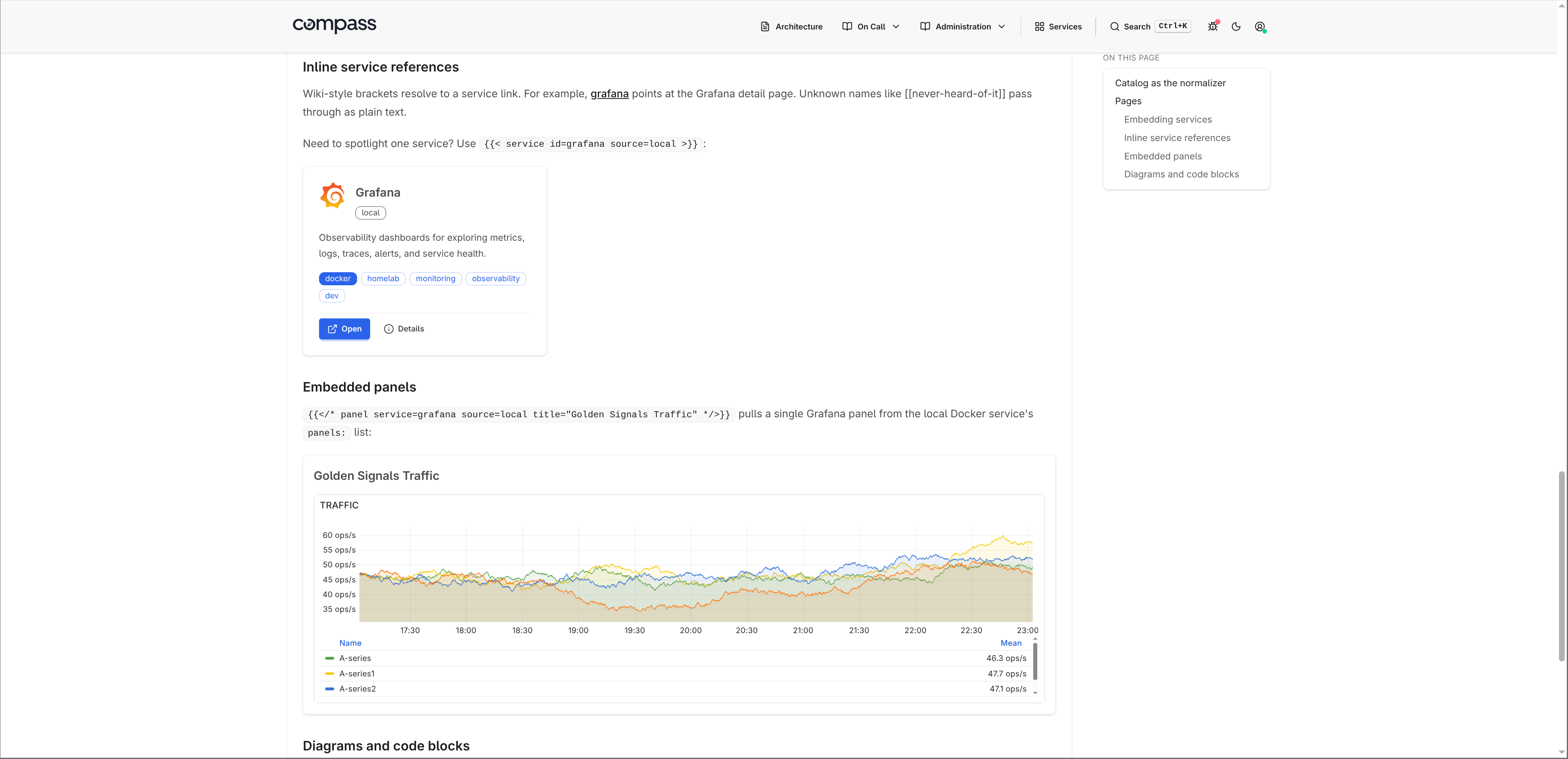
Single service card
For runbooks that spotlight one specific service:
If multiple sources expose a service with the same name, add source=:
Embedded Grafana panel
Pull one panel out of a service's panels: list and render it inline as
an iframe:
If multiple sources expose a service with the same name, add source= to pick
the source instance:
[[name]] wiki-style auto-links
[[grafana]] or [[Grafana]] in prose resolves to a link at
/services/grafana. Matches by ID or display name (case-insensitive).
Unknown names pass through as literal text. Doesn't fire inside code
spans or fenced blocks.
Showing the literal syntax
To render {{< … >}} without expanding, use the Hugo-style escape:
{{</* services tag=monitoring */>}} and {{</* service id=grafana */>}}.
Shortcode-looking text inside inline code spans or fenced code blocks is left
literal, so examples like `{{< services tag=monitoring >}}` are safe.
Code blocks and diagrams
Fenced code blocks pass through chroma for server-side syntax highlighting (github-dark theme out of the box; class-based, swappable without rebuilding the binary).
Mermaid diagrams render client-side from ```mermaid blocks:
Service backlinks
When you reference a service via any of the shortcodes above (or a
[[service]] wiki-link), the service's detail page picks it up and
shows a "Mentioned in" section linking back to your page. Useful for
keeping runbooks discoverable from /services/{id}.